Showing posts with label non-functional. Show all posts

Disaster Recovery, Requirements Management & Alignment resources

Here are some resources I've come across that may help you.

Requirements management
Best Practices for Enhancing Project Success is a recorded webinar that you can watch at your leisure.

More than 70 percent of software project failures can be traced to poor requirements management. The root cause: the gap between what the business team wants, and what is communicated to IT for delivery back to the business.
Disaster Recovery
CIOs lack confidence in their DR plans
IT execs are insecure about their disaster recovery plans.

That's according to a new survey by Rochester, N.Y.-based Harris Interactive Inc. that reported 39% of executives polled gave their plans a letter grade of C or worse, revealing a troubling lack of confidence in disaster readiness.

The survey results also indicated that this lack of confidence in disaster recovery planning is growing. A similar survey conducted in 2004 found that only 24% of executives gave their plans poor grades.
ALL-IN-ONE GUIDES: Disaster Recovery
This All-in-One Guide will get you on the path to a good, solid DR plan and show you what you need to do to maintain it. It starts you off with DR planning and design with understanding recovery capabilities and tools, and then takes you right through to DR implementation, security and testing.
Alignment
IT/Business Alignment
The IT/business alignment topics page provides CIOs and IT management with up-to-date information and resources on budgeting, IT governance, IT spending, leadership and strategy, and Return On Investment / Total Cost of Ownership.

The ignored step-child - the non-functional requirement

There have been some very interesting posts on non-functional requirements taking place recently.

About a week ago I posted, an item called Non-functional requirements & QA test strategies that was based on a comment received my leathej1 for my non-functional index as well a link to his post, The Fallacy of Non-Functional Requirements. The thrust of leathej1's idea was that non-functional requirements need to be collected in the same manner as functional requirements. This concept comes from his experience in quality assurance; where response times and performance targets are important to a system's acceptance. He made an excellent point that these sorts of items are usually given little consideration.
As a follow-up to leathej1's post, Scott Sehlhorst put up an article called, Non-Functional Requirements Equal Rights Amendments. Scott proposed a different way of looking at functional and non-functional requirements.

Read these articles, they're excellent.

Non-functional requirements & QA test strategies

I received an interesting comment on my index post for non-functional requirements, from leathej1. Below is a short clip.

I just posted something on my site that has been gnawing at me for a few years - the fact that in my mind there is no such thing as a non-functional requirement. As defined in the traditional RUP sense.
A link was provided to leathej1's blog that contained his rationale. I'm still mulling it over in my mind but his post called, The Fallacy of Non-Functional Requirements, contains an excellent QA test strategy covering off the testing of "non-functional" requirements. I encourage you to visit his blog and check it out.

Non-function requirements: Upgradeability

It's been a while since I last posted on non-functional requirements so I'm going to ease my way in with a simple one, upgradeability. This characteristic defines the ease at which components of a system (e.g., software) can be replaced with newer pieces with minimal changes to the rest of the solution.

Let's use some examples to demonstrate this non-functional requirement. Suppose your system uses a service-oriented architecture approach (you can find lots of information on SOA at ebizq.) Your system handles purchase orders from a web site, calculates taxes and then sends out orders to your fulfillment group. If the tax rules change, you can build or purchase a replacement component to handle the tax calculations. Components are loosely-coupled in a service-oriented architecture, thus changes to one component are transparent to other components (as long as the service itself functions the same way.) In this case, the upgradeability of the system is high.
On the otherhand, suppose you purchased an accounting system and built a lot of direct interfaces (e.g., tightly-coupled) to different applications to provide information to it. Now, a newer version of the accounting program is released that uses XML to transfer data around. The custom interfaces and other custom work will have to be examined to see whether they will still be able to function. There is a high probability that you will need to rework or rebuild a significant amount of them. As such, you would say the upgradeability of the system is low.

In general, tightly-coupled systems and systems with high levels of customization are more difficult to upgrade.

INDEX for non-functional requirements

I talked to Scott at Tyner Blain about my non-functional requirements series and he suggested that I create an index for them. As I add new posts, I'll add them to this list and make sure the index appears in the Popular posts section.

Complete list of non-functional requirements
This is a very early post containing the names of the different types of non-functional requirements. No details provided but a good starting point.

Availability
There are two key concepts for availability: Hours of operation and reliability. The first refers to what times a system will be available for production. The second refers to it's availability during the stated hours of operation. I supplemented this post with the following one, Extreme availability & reliability.

Capacity
Capacity deals with the projected load that a system will handle. This includes its growth and the timing around when heavy load conditions will occur. As companies move towards a more service oriented architecture approach it becomes very important to be able to understand capacity.

Data currency
How up-to-date does your information need to be? Do you need real-time or are delays acceptable? Data warehouses generally operate a few days or weeks behind. For general reporting needs, this situation is acceptable.

Data retention
Address your needs to store and dispose of information. There are industries which have legislation surrounding the acquisition and disposal of information. Recognize that some types of data become useless as time passes.

Disaster recovery
This non-functional requirement relates to a business' needs for a system to recover from an outage. How important is the system and how quickly does it need to be returned to production?

Error-handling
Describes a system's ability to handle unexpected situations such as purchase orders for unrecognized products. How should you account for these transactions?

Internationalization
This is an important characteristic for applications that will operate in multiple geographic regions, currencies, tax regimes and languages.

Logging
A system's ability to keep track of its activity. This provides an audit trail that can be used for problem-solving.

Security
Describes how a system handles customer privacy as well as user privileges.

*NEW* Upgradeability
This characteristic describes the ease of replacing a component in a system with another one.

*NEW* The ignored step-child - the non-functional requirement
Links to an important conversation on the importance of non-functional requirements and their neglect.

Non-functional requirements: Logging

Understanding what activities are processed through a system is critical to knowing whether it is behaving as expected and central to diagnosing potential problems and issues. The key benefits of logging and tracking are:

  1. Facilitates problem-solving. Should an unexpected result be produced, you can follow a transaction through the system to identify where a problem starts.
  2. Provides transparency into the operations of a system. In turn, this proves reliability and predictability.
  3. A log provides an audit trail. Logs can be used to detect patterns in behavior as well as find inappropriate user activities. For example, you may notice 5 different transactions for completely unrelated people, however, the delivery address is the same. This could indicate potential fraud. If the transactions were examined individually, this form of fraud may go unnoticed.

Considerations for determining the extent of logging for a system include:

  • The length of time that you will need logs (see my post on Data Retention.)
  • Capture appropriate information to support problem-solving and investigation into normal transactions as well as exceptions (see my post on Exception Handling.) To keep track of a purchase order without the details (such as the products and prices) may not provide enough information to support further problem-solving or generate insight.
  • Are there legislative reasons why you need to track specific types of information? In the United States there are efforts underway to force ISP to log the activities of their clients.

As you can see, data retention, exception handling and logging are closely intertwined.

Non-functional requirements: Error Handling

How should a system handle the unexpected? This is a fundamental consideration of any solution.Key points to keep in mind are:

  1. What are the consequences of not resolving errors? If you are working on a financial system, a missing transaction means that account reconciliations will be difficult, or in other words, you are misplacing money! In such cases, you should consider creating suspense accounts to hold the erroneous transactions. Operational staff can then balance the suspense accounts to zero and route the corrected transactions appropriately. Common types of errors include invalid accounts and invalid products. Keep in mind that you may encounter errors that you never considered.
  2. Will you process batch or real-time transactions? Do you foresee needing to reverse out large numbers of transactions to remove erroneous transmissions? Should you submit reversing entries or delete all of the errors? When you load transactions, make sure you include the appropriate information to allow you to identify the record or group of records.
  3. What will you do to prevent the loading of problematic transactions? Do you need to quality control (QC) the transactions and then reject them if they appear erroneous? For a batch, if more than a specific percentage have errors the batch may be rejected completely. Conducting a few simple QC tests will keep you from going through the pain of fixing transactions that have made it into your system.
  4. Should you keep record of the original transactions that have been processed? Is error logging required?

For many systems, particularly financial ones, losing a transaction is a faux pas. If your system does this, its reliability may be questioned.

Non-functional requirements: Data Retention

Data retention refers to the storage of a system's information for a specified period of time. This information should be examined according to the different data domains (e.g., transactional, consumer, product, complaints, etc...) Each domain may have separate retention requirements. For example, information on products and transactions may be stored indefinitely, however, consumer records maybe be purged after 4 years of inactivity.

Considerations for data retention include:

  • System - What are the uses of the information? Will you be doing long-term trend analyses or operational reporting only?
  • Legislative Restrictions - Some information sets may have legislation concerning their mandatory disposal after a specified elapsed time. Other places have legislation mandating data retention for specific industries (e.g., Europe has legislation mandating data retention for telecommunications firms as part of their anti-terrorist activities.)
  • Useful Life - How old can information get before it becomes dated? For example, marketing information that is 12 years old probably has little value to marketers. Because you were a student 12 years ago probably does not help a marketer that much now.
  • Customer Service - How much historical information on a client is required to deliver appropriate levels of service?
  • Data Aggregation - Should old information that is being disposed of be rolled-up so that long-term trend reporting can take place? Do you ever anticipate looking at the detailed information again?
  • Data Disposal - Should old information be kept offline or removed permanently? What type of archiving is necessary?

Based on your needs, your data retention strategy may require additional capacity and storage facilities. All of this comes at a price. As such, you must be careful to balance your desire to retain data with the cost of its maintenance.

Non-functional requirements: Security

One of the most important non-functional requirements is security. Security requirements can come in many different forms:

  1. Privacy - Requirements can dictate protection for sensitive information. Some types of privacy requirements include: data encryption for database tables, policies regarding the transmission of data to 3rd parties (e.g., scrambling user account numbers), etc... Sources for privacy requirements could be legislative or corporate.
  2. Physical - These requirements relate to the the physical protection of the system. Other types of physical requirements include items such as elevated floors (for server cooling), fire prevention systems, etc...
  3. Access - Access requirements define account types / groups and their access rights. An example of an access requirements could be to limit each account to one login at a time or to restrict where an application can be deployed or used.

While most clients can tell you what availability or capacity they expect to need, it is less likely they may know everything about the security aspects. As such, I suggest you ask security specialists for their advice and opinions. The Journal of Object Technology has a great article on Engineering Security Requirements by Donald G. Firesmith. I suggest you look there for a more complete look at security.

Extreme availability & reliability test

Earlier in the week, I wrote about Availability and Reliability. Yesterday on Digg.com there was an interesting post showing an HP StorageWorks XP12000 Disk Array performing under load during the process of having a bullet fired through it.
The test showed a high-caliber round being fired through the disk array and through a fish tank on the other side. The disk array was streaming video to many monitors in the room. The goal of the test was to see whether the video would be interrupted. The results? You can watch it here! Keep in mind that the video is a marketing promotion but the test itself is very interesting and clearly shows extreme availability and reliability testing.

Interesting thought: Is your company dead in the water if someone shoots your server?

Non-functional requirements: Data Currency & Internationalization

This is my third post on non-functional requirements. Let me reiterate that non-functional requirements describe characteristics of a system as opposed to how a system functions or operates.

Data Currency
Many systems collect data and provide data for users. Data currency, refers to how up-to-date this information is. Trading systems require access to real-time information or their business value is negligible. If you were a day-trader, would you be willing to use yesterday's prices to execute your trades?

Other types of systems do not have as stringent requirements (e.g., data warehouses.) Data currency can affect your choice of solutions to a business problem in that if real-time information access is required, specific procedures such as batch uploads cannot be utilized.

Internationalization
Implications could be the need to have multi-language descriptions of products as well as pricing schemes for different currencies. Web sites such as ebay have regionalized sites where prices are displayed in a user's native currency. In general, internationalization focuses on the countries, time-zones, currencies and languages that will be supported.

The proliferation of web applications is pushing us towards a more global view. Today you may only have to deal with 2 languages, but tomorrow it could be 3, 4, 5 or more!

Non-functional requirements: Disaster Recovery

One thing that was implied in my previous post, Availability & Capacity, was that higher levels of reliability are costly. Costly because it implies redundancy and ensuring there are no single points of failure.

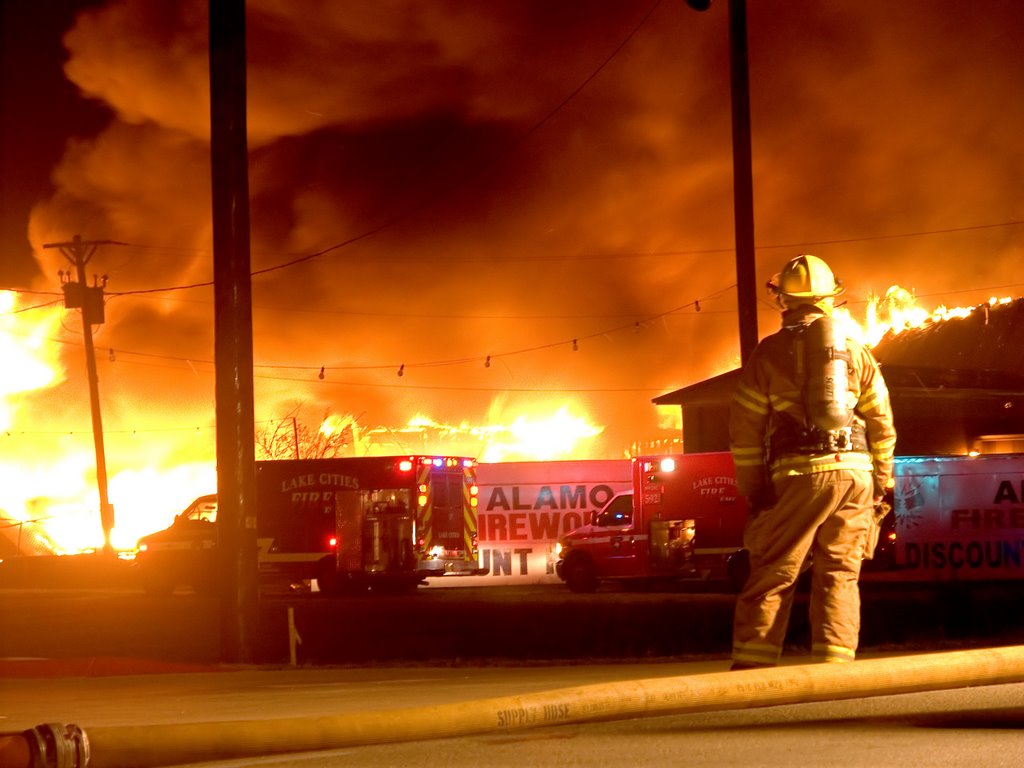
Another, expensive non-functional requirement is disaster recovery or recoverability. Disaster recovery considerations should be made for every application. However, I'm not sure I could say they are taken into account appropriately. It's like the unwanted step-child from fairy tales of old that no one wants to have anything to do with...

Items that must be taken into consideration are:

  1. System criticality - How important is a system to your company? Real-time trading systems are more important than intranet applications; at least for most companies.
  2. System recoverability - How fast must you be able to restore full or partial service (in minutes, hours, days, weeks, etc...)? A system's criticality will help answer this question.
  3. Magnitude - What is the scope and scale of outage that you are willing to deal with? Two of the companies I worked at in the past had disaster recovery facilities approximately 10 kilometers from their main facilities. This was great for testing the facilities and made it easy to transport designated workers to the alternate locations. Now suppose there was another blackout like the one in 2003 that hit the Eastern coast of North America. There would be no way that geographically close disaster recovery centers would be able to function. Notice the nice black area where Toronto, Canada and New York City are. Consumers inside that area would not be able to buy things from our e-commerce sites, however, what if the majority of our consumers are not in affected areas?
  4. Disaster simulation - You'll need to practice how you would operate during a disaster. Simulate a disaster and then see what problems you encounter. This is how you find out silly things such as your servers are working fine but there is no internet access so you're offline and inaccessible.

Disaster recovery is really a business decision and it should be treated as one. What risk are you willing to accept and live with?

Non-functional requirements: Availability & Capacity

I've spent a bit of time writing on basic presentation, communication and innovation themes. Now I'm going to refocus and go into more detail on one of my earliest posts titled, What are requirements? SDLC? More specifically, I am going to expand my coverage of non-functional requirements and their implications.

Non-functional requirements govern characteristics of a system. Many non-functional requirements will have direct implications to a project in the form of cost implications, performance objectives and future growth potential.

Availability
Availability indicates when a system is operational as well as how reliable it is during operational periods.

  1. Hours of operation - What are the hours that a given system will be available? What days will the system be operational? Not all systems operate on a 24/7 basis. Some internal facing systems may only be needed when there are people in place to operate them.
  2. Reliability - During a system's hours of operation, what reliability (excluding planned outages) is needed? Reliability is usually measured as a percentage. The higher the number, the greater the cost. Many people ask for 99% reliability but do you actually need it? 37signals has a great post explaining this concept. The question to ask your clients is, "What level of reliability is justifiable from a business perspective?" Will the world end if your web site goes down unexpectedly for an hour? The answer will be different for different systems and companies.

Look at the picture below to see what are the allowable outages based on the level of reliability required.

Capacity
The ability to handle transactional volumes is a very important characteristic for a system. If you are building a high-volume e-commerce web site but you can only support 10 concurrent logins, you've got a major bottleneck. Here are a few considerations you will have to take into account:

  • What are the different types of things (e.g., types of supported activities or transactions) that can happen?
  • For each type of transaction, what volumes do you see on an hourly, daily, weekly, monthly etc... basis?
  • What types of patterns exist for the transactions? Are volumes significantly higher during specific parts of the day (e.g., at lunch), week, month or year?
  • What transaction volume growth are you expecting?
  • Will additional systems make use of the services you are building? You may have taken into consideration your website's needs, but what happens when the point-of-sale systems start trying to use your services? Can you manage this additional volume?
Summary
Non-functional requirements such as availability and capacity can have substantial cost implications to a project. Almost everyone wants 24/7 hours of operation with 99.999% uptime and the ability to process thousands and thousands of transactions. However, does that meet the cost-benefit test?

What are requirements? SDLC?

Functional Requirements

In order to understand what requirements are, it is necessary to know why one needs them. Basically, requirements are statements that indicate what a system needs to do in order to provide a capability (i.e. utility or benefit.) Requirements are generally prepared during the early stages of a project's system development lifecycle (SDLC.)

There are many different SDLC methodologies that are used in practice. They range from heavy-weight ones, such as the Rational Unified Process (RUP), Waterfall and Spiral methodologies to more agile methodologies such as Extreme Programming (XP), SCRUM and Crystal. Regardless of the methodology employed there are generally six basic phases (note the descriptions oversimplify the activities that occur during each phase):

(1) Discovery - "What needs to be build?" Where the bulk of the analysis (requirement gathering) occurs.

(2) Planning - Perform planning to determine the tools, procedures, budget and resourcing needs.

(3) Design - "How are we going to get a solution?"

(4) Build - Develop the solution.

(5) Implement - Deploy the solution into production.

(6) Warrantee - Monitor the solution to ensure that it functions properly, is reliable and predictable.

Requirements describe what users want a system to be able to do. Thus, well defined requirements are critical to the success of a project.

A large majority of all software defects and failures are directly attributed to bad requirements!

In practice, the percentage of errors during a project's SDLC are higher during the analysis phases than the later stages. Furthermore, the cost to fix an error increases the later the error is discovered. Put another way, the cost to fix an error during the implementation stage is several magnitudes larger than the cost to fix the same error during the analysis stage.

I have seen many different names used for requirements documentation including: business requirements, user requirements, functional requirements etc... Individual organizations will use these terms differently. Personally, I view the disctintion between different types of functional requirements to be based on the level of detail provided.

For example, a high-level (business) requirement may be, "The ability to maintain a product catalog." A lower-level requirement (functional specification), would be, "The ability to specify a date range dictating when a product is available." A good practice is to avoid mixing different types of requirements together in the same document.

Non-Functional Requirements

Most of this post deals with functional requirements. There is another type known fittingly as non-functional requirements. Non-functional requirements describe system characteristics such as:

(1) Productivity - How much a system aids users? For example, "We used to be able to handle 10 complaints in an hour and now we can handle 12."

(2) Performance - How fast should the system be?

(3) Capacity - How much traffic must the system be able to handle?

(4) Scalability - How easily can the system be expanded to handle increased throughput?

(5) Availabilty - Does the system need to be 24/7, weekdays only etc...?

(6) Recoverability - How quickly should the system be made operational after an outage?

(7) Integrity - How predictable and reliable should the system be?

(8) Exception handling - How will processing exceptions be handled?

(9) Logging - Do we need to have audit trails of activities?

(10) Security - What are the security characteristics?

(11) Manageability - How easy is it to manage the system?

(12) Useability - What interfacing is required for end-users?

(13) Interoperability - Does the system need to be able to interface with other systems? How?

(14) Extensibility - Can the system be expanded to support new functionality?

(15) Maintainability - How readily can the system be understood? How extensive is the documentation.

(16) Upgradeability - How easy is it to upgrade the system?

(17) Portability - Can the system be moved to other platforms easily?

(18) Deployability - How can the system be deployed? In components or all at once?

(19) Data Currency - How up-to-date should the information be? Real-time?

(20) Data Retention - How long does data need to be kept for?

(21) Internationalization - Does the system need to support multiple time zones, languages and standards?

Summary

  • There are functional and non-functional requirements.
  • Requirements are important to the success of a project.
  • Requirements can be stated at varying levels of detail.

My next few posts will outline suggestions on how to write more effective requirements. Thanks for taking the time to read my blog.

P.S. I would also like to thank the colleague of mine who created the list of non-functional requirements that I have represented in my post!