Showing posts with label presentations. Show all posts

Power Within

On September 13, I had the opportunity to attend a Power Within speaking engagement being held in Toronto. The event looked very promising with speakers such as Micheal Eisner, Sir Richard Branson and Tim Sanders taking part. You can see the full details about the session here.

Micheal Eisner's speech on management was very interesting. He spoke about how Disney used inside-the-box thinking to spur creativity and innovation for their entertainment initiatives. This may sound contrary to the outside-the-box paradigm that is prevalent now, but what Mr. Eisner meant was that for a given project you must understand the size of the box (e.g., amount of resources and money you will devote to it) and innovate, manage and be creative within those confines. He used clips from movies such as Who Framed Roger Rabbit, The Lion King, Outrageous Fortune and Pirates of the Caribbean - Dead Man's Chest to illustrate his points. The complexity concerning things one would not give much thought to was astounding. The example shown was the shading on Roger Rabbit's character while a overhead light swung back and forth (the picture is courtesy of Disney via Google.) This was something that was extremely challenging to perform at that time.
Tim Sanders was a former motivational coach at Yahoo! Mr. Sanders was an engaging speaker and talked about what he termed the, "likability factor." The basic premise is that people who are more likable are more prone to succeed versus an equally competent but less likable individual. He reasoning (backed up by lots of research) was as follows:

  • People want to work with individuals they like.
  • People will be more willing to assist someone they like. Such as give them information that will provide an advantage in a negotiation or a business deal.
  • When choosing between two identical proposals, the one from the individual you like more will generally win.
Mr. Sanders pyramid of likability was as follows (I've stated it upside down):
  1. Friendliness - Make people feel welcome and comfortable.
  2. Relevance - Validate commonalities between yourself and others.
  3. Empathy - Understand feelings are facts. Be a good listener. Don't judge or try to fix the problems.
  4. Realness - (At the top of the pyramid) be genuine. When someone is talking to you, give them your complete attention.
The keynote of the event was Sir Richard Branson. I must admit that this part of the event was a little of a letdown. It was run as an interview session with questions from the audience. Mr. Branson has significant charisma, however I did feel he rambled and didn't necessarily answer questions the audience's questions.

The event itself was good on a whole. If you can find a session keynoted by someone like Bill Clinton, I'd definitely say to check it out!


10 ways to give a bad presentation

Here's a short article called, "10 ways to give a bad presentation," from Techrepublic.com. It reinforces some of the points alluded to in my previous posts. Enjoy!

Building a presentation - Part 6

The presentation has been given and now it's time to assess what happened.

  1. Get feedback from audience members informally where they can be open and honest. Allow yourself to be receptive and clear up any issues. Make note of what is said, it will help you the next time.
  2. Do they want more? A great sign!
  3. Try to determine what can work on in terms of your delivery. Personally, I know I have a difficult time slowing down my speaking as well as speaking loudly.
  4. Follow-up with people after the fact to see if your message has sunk in.
Learn from your experience and knock them dead the next time!

Building a presentation - Part 5

I gave a quick run through of my presentation for the individual setting up the session. This opportunity was used to confirm that I was on the right track and to gather additional information to make the presentation more personal and appealing.

Things that I learned that would helpful included:

  • Additional issues facing the audience. Now that I know all of their issues I can make sure that my presentation dialog addresses them.
  • All of their reservations about the chosen requirements management product, Telelogic DOORS. Many people have developed first impressions of the product based on what they've heard from other individuals. One of my goals is to educate them so they can develop more informed opinions (on the product.)
  • Obtaining specific examples of problems this team has had with requirements and requirements management in general. Nothing hits home as well as this.
All my demos are ready. My handout props are set. Now if I can just remember my own presentation tips I'll be good to go! My revised presentation is available on esnips.

Building a presentation - Part 4

My basic presentation has been assembled as per the plan found in my last post. I'm still preparing my demo scripts and getting ready to do a short mock presentation for one of the individuals helping setup this meeting. Any feedback or suggestions I get from the mock-up will be incorporated into the presentation. Additionally, I still need to take into account presentation best practices to help the delivery.

You can find a copy of my version 1 presentation on my enips.com account. The name of the presentation is: RM & Tools v1.0 - small.ppt. If you have any comments or suggestions feel free to tell me about them.

Building a presentation - Part 3

Let's continue on my building a presentation series with the next stage which is to map out and plan my presentation using the information gathered previously in the 1st and 2nd articles. To recap, the objective of my presentation is to introduce requirements management techniques and Telelogic DOORS to a team that is skeptical of the software tool.

Assemble the material
I've looked through my existing material and saw a decent PowerPoint presentation titled Clarity in my esnips.com account. There were also, earlier incarnations of requirements management presentations I had laying around. I'm sure I can reuse some of this material.

I am definitely going to have to come up with some demonstration scripts and new slides to show benefits etc...

Major components to present
Here is a summary of the major components I want to include in my presentation:

  • A demo of loading an MS Word requirements document into Telelogic DOORS. All of their requirements exist in this format. This will show how requirements can be migrated into the software package.
  • A demo showing traceability and its application to a project. Traceability is what will allow this team to assess the impact of a change.
  • A demo illustrating how to export requirements from Telelogic DOORS to a more readable MS Word format. Before I go through this demonstration, I will show them requirements from a project that does this without telling them. This demo will bookend the presentation with the first demo.
  • Tips on how to get the most out of requirements management. To ensure clarity, modularity and make requirements testable.

Map the material to an appropriate presentation style
In a previous post, "Use the right presentation style to convey your message," I wrote about some templates for presentations. One of them, "selling an idea," seems to fit in with my objective. Based on that format, I will lay out my presentation as follows:

  • A simple statement of purpose. To show how good requirement management practices and requirements management software can benefit the execution of projects.
  • An articulation of the audience's needs. Currently there is little / no documentation. The team has a difficult time assessing the impact of a change in requirements.
  • An illustration of the features of good requirements management practices. What are traceability, modularity, verifiability and clarity?
  • The benefits that can be realized by the team. What benefits do these features yield? Let's load in a requirements document to the product.
  • What's wrong with the status quo? We need to change because we have difficulty understanding the impact of a change in requirements. What does this change affect? Who knows!?
  • Reconfirmation of the benefits. Now let's manipulate some of the requirements within the product and show how we can understand the impact.
  • What we need to do to benefit. What steps do we need to take to improve?
  • Complete the 'sale.'
Next steps
  1. Assemble the material as per my plan.
  2. Follow presentation best practices.
  3. Give a quick rendition of my presentation to one of the individuals helping set up the meeting. This will ensure that my presentation speaks to them.

Building a presentation - Part 2

Continuing from my last post,...

I decided to do a little more research into my audience, their backgrounds and perceptions.

What I uncovered
A few members of the audience have worked previously as business analysts. They are familiar with basic requirements gathering. None of them used requirements management tools and all attested to using MS Word.

As we have some Telelogic DOORS users at my company, some of the audience members had already seen the product and developed impressions about it such as,

I can't export my work (to MS Word.)
Why it's important
This information provided insight into how I can alter the content and structure of my presentation to be more effective to this group of individuals.
  1. I was originally thinking of doing 2 demos. One to show the loading / creation of requirements and the other to show how to link requirements together. However, it seems apparent that a 3rd demo on how to export a requirements document from Telelogic DOORS to MS Word-friendly formats is required. This demonstration would overcome the, "I can't export my work (to MS Word)," angst.
  2. The audience does have experience as business analysts; though I would say that collectively they do not have a lot of experience. Also, since they use MS Word, they are probably more used to writing full paragraphs and sentences versus atomic and easier to test requirements. Thus, I may want to include some examples on how to make requirement statements more clear.
  3. Because these individuals have done some requirements work in the past, I probably do not need to express why it is important to have good requirements.
  4. If they've only used MS Word documents, they have probably never really had decent requirement traceability and modularity. I'll want to show them the benefits of having these qualities.
  5. My audience will be composed mainly of people who I would say are logical thinkers. They like hearing facts and being shown proof!
Moving forward
Armed with this knowledge, I have a better idea of what type of material I need to cover and what things I don't. I also have some ideas on suitable approaches for them (e.g., logical arguments and demonstrations.) On to the next step of assembling material and defining my structure!

Building a presentation - Part 1

I've been asked to give a presentation on requirements management (more specifically Telelogic DOORS.) The purpose is to show how these things could be used within my company to help a particular business team. What I'd like to do in my next set of posts is walk you through my thought process developing this presentation. Let's start!

Know the audience
Looking back to an old post on presentation tips, one of the first things I need to do is understand my audience.

  • Who are they? A group that provides front-line support to data analysts who use a variety of data analytics and reporting products.
  • What is their background? Their backgrounds vary (I'm going to need to look into this more) but the team members (on average) have been with the company for less than a year.
  • What problems or opportunities are they facing? Little or no documentation on existing reports and processes. Hard to assess the impact of changes across the body of reports they maintain. They gather requirements for new data products and are expected to help bring them to fruition with the IT team. Currently, requirements are captured in MS Word and MS Excel (report mock-ups.)
Plan the presentation
  • Do I need a formal presentation at all? Verbal only? Will it be projected or given in a more 1-to-1 fashion? I'm going to be presenting to a group of 6-8 people so a visual presentation is probably more appropriate. I won't really be able to tailor it specifically to one individual.
  • What is the objective? The purpose of the presentation is to introduce Telelogic DOORS and requirements management. The message I'm trying to get across is basically to , "sell them," requirements management techniques and tools. This fits in well with the presentation template, "selling an idea," from my post Use the right presentation style to convey your message.
  • Do I need hand-outs? Handouts with additional detail and information would be very useful to drive home my point.

Use the right presentation style to convey your message

Presentations are about selling. Whether it be a product or even an idea, you are trying to communicate your point and get people to buy-in. But sometimes your message isn't presented in a manner that connects with your audience. There are a few reasons for this:

  • The contents of the presentation were not suitable. As a presenter you'll notice bewildered looks, the checking of watches and the occasional sleeper. Expectations need to be set! They should be set before you even start.
  • Your presentation did not use an approach that related to the audience. Some people are convinced by facts, others want to know the end goal while other people want to see a plan. Know your audience!
  • The presentation was not structured appropriately to convey your message. Even if you follow all the tips I've previously provided, a well thought out structure will be very beneficial.

This post will deal with providing the best template for your message depending on your objective. Its inspiration was a course I attended from Bina Feldman. Some of the material is derived from her work. As such, I will only go in-depth on a few of the templates.

First what are you trying to do?

  • Present a solution to a problem?
  • Share information?
  • Sell a product?
  • Recommend an alternative?
  • Give bad news?

The key is to understand what you are trying to accomplish and then use a presentation template that aligns with your goal.

A template for "recommending an alternative"

For arguments sake, let's suppose you are trying to recommend one alternative versus others. A suitable presentation template would be as follows:

  1. State the key decision.
  2. Define the key selection criteria (e.g., "must haves" and "nice to haves.")
  3. Rank the, "must haves." To quote George Orwell's Animal Farm, 'All animals are equal, but some animals are more equal than others.'
  4. List the choices.
  5. Eliminate choices that do not satisfy the, "must have," criteria.
  6. Analyze the remaining choices against the, "nice to have," criteria.
  7. Outline the pros and cons of each choice.
  8. State your recommendation.

Notice the whole presentation style focuses on the recommendation and how it was reached. Everything works towards building up a strong case.

A template for "selling an idea (or product)"

  1. State the purpose.
  2. Outline the audience's needs.
  3. What are the features of your idea (product)?
  4. What are the benefits that your audience can reap?
  5. What's the problem with the status quo? Why don't we want to do nothing?
  6. Reconfirm the benefits.
  7. Show how to achieve the benefits. What needs to be done to get there?
  8. Ask for acceptance (e.g., complete the sale.)

Unlike the previous template this one focuses on illustrating the need for your idea and the benefits it provides. Create demand for your idea by stating the problems that are being faced.

Summary

I am only outlining 2 of the templates; in truth, there are many different ones (If you need some ideas feel free to contact me. Also, if you want formal training I suggest contacting Bina Feldman.)

Depending on the objective of your presentation, it is important to select a template that aligns with your goal. The use of an inappropriate template can render your presentation ineffective.

Why you need good requirements

Why are requirements important to a project? The answer may seem trivial but let's look at some empirical evidence.

  • According to the Standish Group's chaos report (1995), only 16.2% of software projects are completed on-time and on-budget.
  • The KPMG Canada Survey (1997) stated that over 61% of projects were deemed to have failed.
  • According to Forrester Research, "No single factor is responsible for more wasted effort, rework, or failed projects than inadequate requirements (Carl Zetie.)"
  • Borland recently posted a new press release for Caliber DefineIT in which they state, "Analysts ... cite inaccurate, incomplete and mismanaged requirements as the number one reason for software project failure. The Standish Group's annual CHAOS report indicates three of the top five reasons for project failure are related to requirements. In addition, requirements errors are a primary factor behind most rework efforts, which ... can add up to 40 percent of the total development effort within a given project."

Let's also consider trends in business.

  • We are dealing with more complex systems.
  • We need to move faster because the business environment is changing faster. We need to react more quickly.
  • Project teams are moving towards more people-oriented development paradigms (e.g., Agile.)

What does this all mean? Successfully delivering projects (e.g., on-time and on-budget) is a difficult task. Furthermore, the environment is evolving and becoming more complex than ever, making a difficult task more even difficult.

I remember talking to a small group of business folk about requirements management practices and its importance (I've uploaded a variant of the presentation I used, titled The Need For Requirements.) It was very encouraging to watch the expressions of the different individuals as we went through the conversation and they started to appreciate the complexity of a project and their role. Understanding is step one.

Online folder for file sharing

One idea I've been toying with is the proliferation of materials I've used to foster more understanding and learning for others as well as myself. To this end, I've added a new icon on my menu bar.

If you press it you'll be directed to the esnips.com folder for this blog where you can get access to some of the slides and presentation material I have created. Feel free to use the material, I only ask that you credit where appropriate. One thing to note, as you look at the presentations, they are done in a very visual style. There is a bit of information on the notes pages to provide context to the presentations; so I suggest you look at them.

I've been writing a lot about presentation skills and requirements, so this is your chance to see how well I, "walk the talk." If you have any comments or feedback I'd love to hear it.

Slides available: Testing & validation

The slide I used on my post, Testing & validation, is available for download at esnips.com. You can find it using this link.

INDEX for presentation skills

This is an INDEX for my presentation skills postings. As new items are added I will include them in the list below. I'll make sure that this post stays near the top of my popular list. Remember, presentations are about communication. Communication is about getting people to understand and buy-in to your ideas.

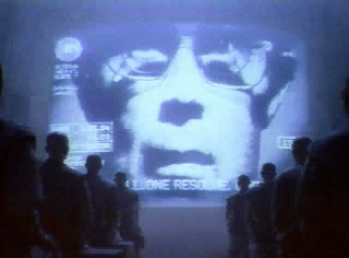
The picture above is from Apple's 1984 Superbowl commercial.

Communication from the pros - This post is based on two articles: How to Wow 'Em Like Steve Jobs (by Carmine Gallo) and Speech Writing Secrets of President Bill Clinton (by Tomas Murrell.) It covers the styles of two of the foremost communicators.

*NEW* Use the right presentation style to convey your message - Depending on the objective of your presentation, it is important to select a template that aligns with your goal. The use of an inappropriate template can render your presentation ineffective.

*NEW* Improving clarity in communications - A short presentation deck providing some tips and common sources of ambiguity. You can find the deck (called Clarity) in my esnips.com folder.

Give each of them something - Some people want to see a plan. Others will listen to you after you've established a relationship with them. Still others will want to know your goals; they'll figure out their own way to get there. This post speaks on how to communicate with these different types of individuals.

Some more presentation tips - General tips for improving your presentations such as stopping side-conversations, using active listening techniques to respond to questions and using physical presentation aids.

Some tips on presentations - This post is one of the more popular ones on my blog. The basic parts are the pre-planning, slide design principles, and other prep activities that will help you make & deliver great presentations.

The soft-side of presentations - This post provides tips on the delivery aspect of a presentation rather than slide design. These tips include how to use gestures, to speak more slowly than conversation speed, and to change the pace of your presentation every 15 minutes or so (the average attention span.) A good PowerPoint deck won't mean anything if you can't sell your ideas.

Other resources & tips for presentations - Online resources for improving your presentation skills.

A walkthrough of the process I followed to make a presentation

Communication from the pros

This post outlines key observations on the presentation techniques of two of the best known presenters, Steve Jobs and Bill Clinton. Without further ado...

Steve Jobs' Tips:

BusinessWeek has a great article, How to Wow 'Em Like Steve Jobs (by Carmine Gallo), that talks about Mr. Jobs legendary presentation skills. The key points are:

  • Sell the benefit - Talk about how this will make things better for people by enhancing their lives. What does it mean to them? Don't say things like, "We have redundant server clusters around the globe." Instead try this, "Our 'doors' are always open for business. When a server goes down, our consumers can still interact with us and purchase our products."
  • Practice (a lot) - If you want to come across naturally, you must be intimately familiar with your material. You are rehearsing your presentation. It's got to be an event people want to attend, not a chore they have to do.
  • Keep it visual - Use good, simple pictures and words instead of data driven slides. Eventually all the numbers will blur into something incomprehensible to your audience. Use too much data and you'll soon hear the sound of snoring.
  • Exude passion - If you don't show genuine interest & excitement in your subject why should anyone else?
  • "And one more thing..." - Close strong. Give them something else. This is the marketing WOW factor.

Bill Clinton's Tips:

On Ezine Articles there was a great write-up by Tomas Murrell on Bill Clinton's speechwriting ability. Mr. Clinton is widely regarded as one of the best speakers on the planet. One of the comments about Mr. Clinton's speeches is that he gives everyone something that resonates with them. This is a great article so please read it, Speech Writing Secrets of President Bill Clinton. I'm just going to bullet point the main parts so you'll need to read the article to get the full context.

  • The power of presence - Remember that non-verbal presentation is extremely important. Your expressiveness, gestures and the way you carry yourself make a huge difference. Refer to my post, The soft-side of presentations for more information.
  • Customizing the message - Tailor for your audience. People like the personal touch. Speak to them.
  • Repetition - Think reinforcement. Reinforcement.
  • Using metaphors - Use simple metaphors to help explain more complex topics.
  • Develop empathy with the audience
  • A call to action - Tell them your goal. What do you want them to do?

Other posts on presentations:

Summary:

By watching some of the better speakers display their mastery of communication you can pick up on things that can help you become better. I notice that as I watch other people give presentations, I can see what works and what doesn't work. These learnings I can incorporate into my own repertoire.

The single biggest problem in communication is the illusion that it has taken place. (George Bernard Shaw)

Some more presentation tips

I would like to follow-up an earlier post, The soft-side of presentations, with some additional tips.

  • Get right to your topic using direct language. Don't use wishy-washy language. Avoid starting with something like, "I'm here to talk to you about...", "I would like to talk to you about...", "Today we're going to talk about..."
  • If people are having side conversations during your presentation do not say anything to stop them. Instead, slowly walk towards them. When they notice your gradual approach they will stop. This is better than asking them if they have something to add to the conversation (which they probably won't.)
  • If you notice that there are people attending that you did not expect, consider asking them before you start your presentation about their expectations. See if you can bridge and incorporate their expectations in with your material. If you can't do this then state what topics you will be covering and suggest a follow-up to address their needs.
  • Use physical presentation aids (e.g., things people can hold and feel) where appropriate. This technique makes your presentation more memorable.
  • When you are unsure of a question, use active listening techniques to rephrase it and confirm it with the questioner before providing an answer.
  • If you are speaking to a large audience, you may want to repeat any questions so that everyone can hear them.
  • Meet up with some of the audience members afterwards to elicit feedback and see where any miscommunications occurred. Learn from this.

Using the suggestions found on this and my other presentations posts, you'll be able to improve your presentation creation and delivery skills immensely.

Be prepared. Now go out there and break a leg! Don't be caught like this guy!

If you have any additional tips please send them to me. Thanks!

The soft-side of presentations

About two months ago I posted an article titled, "Some tips on presentations." On that blog entry I focused on prep activities, slide design considerations and other tips to use before you present. With this post, I would like to write about some tips on the actual delivery of a presentation.

  • Grab your audience's attention. Particularly at the start of your presentation. Tell them why it is important to them (the subject) and what you want to achieve (the objective.)
  • Determine to make your presentation come across as more of a dialog than a lecture. Try to generate interaction with your audience.
  • Give your introduction and summary slides with a blank screen. Focus the audience on you.
  • Exude confidence in what you say. Know your material inside-out.
  • If you are not comfortable or do not have genuine feelings for what you are saying, you shouldn't be giving the presentation.
  • Make eye contact with members of your audience. Focus in on their body language for clues to how they are receiving your presentation. This also personalizes it.
  • Make sure you display positive body language. No folded arms, hands out of pockets, do not nervously hold your hands and don't sway from side to side.
  • Relax and be natural with any gestures you use. People can tell when they're forced.
  • When using gestures, keep them shoulder height and above. If you are listing out points, show it on your hands (e.g., one, two, & three.)
  • Speak more loudly and project your voice. Don't yell! But if you are like me, you'll need to ensure you are clearly heard by everyone in the room.
  • Talk more slowly than when you are having a conversation. Pause... People need time to digest what you are saying. As a speaker this may feel uncomfortable, but it comes across better. What says more than words? "No words!" (Follow that link if you are in the mood for a short comedy skit.)
  • When answering questions unrelated to your current slide, use the B key (in PowerPoint.) If you don't know what that does, try it out (hint - it will blank the display.)
  • Be prepared to change the pace of your presentation every 15 minutes or so. This keeps people awake.
  • Do not compete with your slides, if there is a lot of text, give the audience time to look at it before you start talking.

These are some simple tips you can use the next time you have to give a presentation. Some of them will come naturally to you while others you will need to work on. In the meantime, I suggest you view presentations given by Steve Jobs, Bill Clinton and Lawrence Lessig.

In closing this post, I'll leave you with a quote that dove-tails with my request that you deliver a dynamic, interactive presentation.

Tell me and I'll forget; show me and I may remember; involve me and I'll understand.

Putting it all together

During the last month I have blogged on marketing and presentation topics. I wrote about the marketing mix, segmentation and positioning. I provided some presentation guidelines as well as some thoughts on how to craft your presentations and arguments to be more appealing to different types of people.
What I want you to realize is that you do not need to view these posts as isolated topics. You can use what you know about marketing to help you when you are trying to approach people and introduce different ideas. Likewise, you can use what you know about tailoring communications and creating effective presentations to assist you to market ideas more effectively.

All of this is geared towards improving your communication skills which will make you a more productive and effective person. Think about the different ideas I have written about and see which ones work for you and which ones do not. Does it change your perspective or approach?

Epilogue: Other resources & tips for presentations

Whether your purpose is to convince people to purchase your products, explain a difficult concept or present research findings, ultimately you are trying to get people to buy into your message. If this is not one of your main goals... what exactly is the point of your presentation?

To wrap up this topic for now, I am providing some of the web sites that helped me out a lot.

My top sites for advice on presentations are:

Some good articles that you should consider reading are:
Special thanks!

On an aside, thanks to Scott at Tyner Blain for mentioning my last post on his blog posting Top 5 presentation tips. Tyner Blain is an excellent place for information on software development and requirements. I encourage anyone interested in those subjects to check it out.

Some tips on presentations

I have been working on improving my presentation skills. This post covers some of the learnings I have gotten from experience, other web sites, training materials and through direct observation.

Basic questions before you start:

  • Do I need to make a presentation deck at all? Garr Reynolds has an outstanding post on his blog Presentation Zen on this topic. Garr's blog is probably the best site on the art of presenting that I have seen.
  • Is this something that will be projected or will I only use hand-outs (because there is no projector)? Presentations using projectors differ from presentations without them as there are different things one must consider. For example, on hand-outs you should avoid using high quality pictures and dark backgrounds (unless conserving printer toner is not a concern.) For the purposes of this post, I will assume you will be projecting slides.

Prep activities:

  • Make up a plan for your presentation. A little forethought will go a long way. Set up your goals and objectives and use these as criteria to judge your success.
  • Know your audience. Understanding your audience can allow you to tailor your presentation to be meaningful and appealing to them. Some of my previous posts Give each of them something and Who are you? And should you care? cover off this material.
  • Gather your information & research. Make sure you understand it and have a plan to get any additional pieces you will need.
  • Know your material. This way you will not need to read your own slides. Presenters who read their own slides irk me.

Slide design:

  1. Minimize the amount of text on your slides. You do not want people to read your slides instead of listen to you. Slides are merely aids, you are giving the presentation, not them. Large volumes of text can be communicated on a hand-out; a more appropriate medium.
  2. Design your slides so that people do not read ahead. Their focus should be on you.
  3. Use nice big font sizes. Pick a good font, generally sans serif fonts are more difficult to read. When you see people starting to lean forward, reach for their glasses and squint, chances are they cannot see what you are projecting because your font size is too small.
  4. If you are using a non-standard font, embed it into your presentation so that others can see your presentation deck the same way you did when you created it.
  5. Minimize your use of bullets. Avoid having sub-points of sub-points of sub-points. Do you really enjoy sitting through slide after slide after slide containing bullet point after bullet point after bullet point? If you do not enjoy it, what makes you think anyone else will?
  6. Only one topic to a slide. Having more than one is confusing to your audience. Your slide should make an idea very obvious.
  7. Do not have too many topics in your presentation. Guy Kawasaki's blog has a good article on this concept. Guy argues that a human being can, "only comprehend 10 concepts in a meeting." By-the-way, Guy's blog is an excellent read.
  8. Just because something looks good in Rational Rose, Together or Visio does not mean it will look good projected on a screen. Be willing to make scaled-down simple versions to improve understanding. Showing a complicated schematic that has been shrunk a few hundred percent so it is not legible does not help anyone.
  9. Use a dark background and a text color that contrasts the background. It is easier to read white text on a dark background rather than dark text on a white background when slides are projected. Note this is opposite of what I said for hand-outs. Adding shadows to your text also improves readability.
  10. Avoid excessive slide transitions and animations. Just because you can do it, does not mean you have to do it. Keep animations and transitions simple and keep the number low. The first time you use one it might be cool but by the fifth time it is just damn annoying!
  11. Use nice high-quality pictures. When you stretch low quality pictures and then project them onto a screen the pixelation makes them look terrible. There are many sites where you can obtain good pictures. Here is a post on Presentation Zen and another from About.com that have links to a lot of pictures. Make sure you respect the rights of the photographer. The majority of the pictures used on my blog are from Stock.xchg.
  12. Adhere to any corporate themes, logos or standards. Personally, I dislike this as I feel it interferes with individual creativity (though I would never muck with a corporate logo, on the otherhand with a theme...) I break this one a lot, I am a rebel (I guess.)

Before you present:

  1. Revise and rewrite as you feel necessary.
  2. Arrange your slides to flow together to meet your objectives.
  3. Practice, practice, practice. You do not want to have to read your presentation.
  4. Determine whether there are other props besides a presentation you can use. Having something tangible in a person's hands can really cement an idea.
  5. Can you integrate interaction with your audience into your presentation? Invite participation.
  6. If you want to provide hand-outs and you have used a very visual style, a lot of the information and context for the presentation will have been from things not on the slides. As such, be ready to add the additional meaning and information to your hand-outs. I suggest, taking pictures of your slides and putting them (along with the additional material) in a document. It is a lot more work but is more useful. If you choose to do this, I also suggest providing the hand-out after you have presented.

Conclusion

All of these things are just guidelines. If any of them work for you or help you, that's a bonus. Ok, now you are ready to take the plunge! Good luck!

Give each of them something

My last post talked about how you could approach me when if you knew a bit about my personality. That was merely an example. Let us, generalize this to understanding how you would approach people with different personality types.

Sometime last year I received a presentation from PRI International, a company that specializes in human performance management. PRI has an Identity Mapping™ methodology that can be used to foster more effective communication. According to their methodology there are 4 major identity types. People have characteristics of each, however, depending on what is the most dominant identity type in an individual, they will be more receptive to certain approaches versus others. The major identity types are:

  • Action - People who want to do something.
  • Relationship - People who value relationships and working together.
  • Logical - People who need facts.
  • Organized - People who need to see a game plan.

Follow this link to PRI's web site, and click on, "What do we see!" and "What do we hear!" This will give you some ideas about the characteristic traits of each identity type. How does this influence your approach to someone?

  • Action - Tell them the end goal. You do not need to tell them how to get there.
  • Logical - Give them the objective facts.
  • Organized - Show them how you will get to where you want to be.
  • Relationship - This was the odd one, approach them using their second most dominant identity type (i.e., action, logical or organized.)

I do not want to elaborate much more than this as PRI offers courses on this material and they provide a free executive preview where you can learn all about it.

To dove tail this post, when you are thrust into a situation where you need to communicate a message to individuals that you do not know; it may be useful to try to add something for each of the identity types so that each of them feels you connected with them. Or, give each of them something.