Non-function requirements: Upgradeability

It's been a while since I last posted on non-functional requirements so I'm going to ease my way in with a simple one, upgradeability. This characteristic defines the ease at which components of a system (e.g., software) can be replaced with newer pieces with minimal changes to the rest of the solution.

Let's use some examples to demonstrate this non-functional requirement. Suppose your system uses a service-oriented architecture approach (you can find lots of information on SOA at ebizq.) Your system handles purchase orders from a web site, calculates taxes and then sends out orders to your fulfillment group. If the tax rules change, you can build or purchase a replacement component to handle the tax calculations. Components are loosely-coupled in a service-oriented architecture, thus changes to one component are transparent to other components (as long as the service itself functions the same way.) In this case, the upgradeability of the system is high.
On the otherhand, suppose you purchased an accounting system and built a lot of direct interfaces (e.g., tightly-coupled) to different applications to provide information to it. Now, a newer version of the accounting program is released that uses XML to transfer data around. The custom interfaces and other custom work will have to be examined to see whether they will still be able to function. There is a high probability that you will need to rework or rebuild a significant amount of them. As such, you would say the upgradeability of the system is low.

In general, tightly-coupled systems and systems with high levels of customization are more difficult to upgrade.


A breakaway innovation

Time magazine has an interesting article called, A Game For All Ages (by Lev Grossman), which provides a hands-on preview of the new Nintendo Wii video game system. The control system used for this game platform would qualify as revolutionary (see an earlier post Types of innovation) as it incorporates motion sensing technologies into a controller that resembles a remote control (something a lot of us are too familiar with.) It has potential to change the way people play games since a different level of interaction can be used (see the article for details.) Of course, it remains to be seen how well this translates into profit.

In the article, there were two very interesting comments that stuck out to me:

If you are simply listening to requests from the customer, you can satisfy their needs, but you can never surprise them.
It is definitely more difficult to come up with revolutionary ideas. When listening to your customers, you'll hear more along the lines of the tried-and-true with some new bells and whistles. On the otherhand, you can't ignore your customers either.
Cutting-edge design has become more important than cutting-edge technology.
The overall experience of using a product or service is the new paradigm. Simplicity of design and usability are key factors for success and product adoption. Think of why the Apple Ipod has been so much more successful than any of its competitors.

INDEX for presentation skills

This is an INDEX for my presentation skills postings. As new items are added I will include them in the list below. I'll make sure that this post stays near the top of my popular list. Remember, presentations are about communication. Communication is about getting people to understand and buy-in to your ideas.

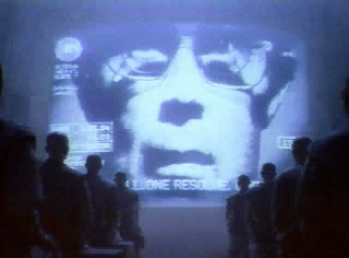
The picture above is from Apple's 1984 Superbowl commercial.

Communication from the pros - This post is based on two articles: How to Wow 'Em Like Steve Jobs (by Carmine Gallo) and Speech Writing Secrets of President Bill Clinton (by Tomas Murrell.) It covers the styles of two of the foremost communicators.

*NEW* Use the right presentation style to convey your message - Depending on the objective of your presentation, it is important to select a template that aligns with your goal. The use of an inappropriate template can render your presentation ineffective.

*NEW* Improving clarity in communications - A short presentation deck providing some tips and common sources of ambiguity. You can find the deck (called Clarity) in my esnips.com folder.

Give each of them something - Some people want to see a plan. Others will listen to you after you've established a relationship with them. Still others will want to know your goals; they'll figure out their own way to get there. This post speaks on how to communicate with these different types of individuals.

Some more presentation tips - General tips for improving your presentations such as stopping side-conversations, using active listening techniques to respond to questions and using physical presentation aids.

Some tips on presentations - This post is one of the more popular ones on my blog. The basic parts are the pre-planning, slide design principles, and other prep activities that will help you make & deliver great presentations.

The soft-side of presentations - This post provides tips on the delivery aspect of a presentation rather than slide design. These tips include how to use gestures, to speak more slowly than conversation speed, and to change the pace of your presentation every 15 minutes or so (the average attention span.) A good PowerPoint deck won't mean anything if you can't sell your ideas.

Other resources & tips for presentations - Online resources for improving your presentation skills.

A walkthrough of the process I followed to make a presentation

How to listen and hear nothing at all

Courage is what it takes to stand up and speak; courage is also what it takes to sit down and listen. (Winston Churchill)

This post extends upon a previous post (Make sure it's not you) covering the topic of listening skills. More specifically, how to identify when you are listening but not actually hearing what people are saying. I strongly believe that listening (recognizing the words) and hearing (thinking & understanding) what people say are two entirely different things.

For example, you can introduce prejudices that influence how you interpret the actions and words of another person in either a good or negative fashion. However, you are introducing distortion and potentially negatively affecting your relationship by doing this. Suppose, I listen to you with rose-colored glasses (e.g., I take everything in a positive light), I may not realize I need to deliver a strong message to you such as, "I don't think that idea will work because it does not address your core need." On the other hand, I don't think you'd like it if I merely gave you lip service and didn't even consider your arguments seriously. So how can you tell if you aren't hearing what people are saying? Here are some indications:

  1. Are you constantly interrupting people? Do you finish their sentences?
  2. Are you unwilling to even listen to anything that doesn't fit with your thinking?
  3. Do you think the issues facing others are trivial before you even speak to them?
  4. Do you feel you know what people need before they even discuss it with you?
  5. Do you roll your eyes when others are talking to you?
  6. Do you enter a conversation with a preset position? Does this position distort what you hear?
  7. Do you start side-conversations with other people rather than always being attentive to the speaker?

These types of behaviors can be indicative of a listening (I mean hearing) problem. The hardest part is realizing that you are listening but not hearing. However, you can resolve this problem with a few simple steps:

  1. Before you enter a discussion, divest yourself of any preconceived judgments and notions.
  2. Let people talk to you in their own words. Don't put words in their mouths or lead them.
  3. Use active listening to play back what you understood. Clarify any miscommunications.
  4. Ask probing questions to fill in the gaps.

After taking these simple steps you'll have a more unbiased and objective perspective. Furthermore, your clients will know you're listening and interacting with them.

INDEX for non-functional requirements

I talked to Scott at Tyner Blain about my non-functional requirements series and he suggested that I create an index for them. As I add new posts, I'll add them to this list and make sure the index appears in the Popular posts section.

Complete list of non-functional requirements
This is a very early post containing the names of the different types of non-functional requirements. No details provided but a good starting point.

Availability
There are two key concepts for availability: Hours of operation and reliability. The first refers to what times a system will be available for production. The second refers to it's availability during the stated hours of operation. I supplemented this post with the following one, Extreme availability & reliability.

Capacity
Capacity deals with the projected load that a system will handle. This includes its growth and the timing around when heavy load conditions will occur. As companies move towards a more service oriented architecture approach it becomes very important to be able to understand capacity.

Data currency
How up-to-date does your information need to be? Do you need real-time or are delays acceptable? Data warehouses generally operate a few days or weeks behind. For general reporting needs, this situation is acceptable.

Data retention
Address your needs to store and dispose of information. There are industries which have legislation surrounding the acquisition and disposal of information. Recognize that some types of data become useless as time passes.

Disaster recovery
This non-functional requirement relates to a business' needs for a system to recover from an outage. How important is the system and how quickly does it need to be returned to production?

Error-handling
Describes a system's ability to handle unexpected situations such as purchase orders for unrecognized products. How should you account for these transactions?

Internationalization
This is an important characteristic for applications that will operate in multiple geographic regions, currencies, tax regimes and languages.

Logging
A system's ability to keep track of its activity. This provides an audit trail that can be used for problem-solving.

Security
Describes how a system handles customer privacy as well as user privileges.

*NEW* Upgradeability
This characteristic describes the ease of replacing a component in a system with another one.

*NEW* The ignored step-child - the non-functional requirement
Links to an important conversation on the importance of non-functional requirements and their neglect.

The strangest things

Sometimes as a business analyst you'll hear some of the strangest requests. Things that will make you do a double take. "Excuse me, did you just say...?"

Some of the most odd requests I've heard are:


  • "I want you to put a little lightning bolt in the top right corner of the screen that indicates the application is still processing." At the time we were working on a web-based application, so we asked, "You mean like the little symbol that twirls in the browser?"
  • "In the older application, when I hit the ENTER button it tabbed to the next field. I want the new web-based version to do that as well." Of course my web developer looked at me incredulously and proclaimed, "I didn't build the damn thing (the browser!) So if ENTER is pressed to tab, what is the TAB button for?"
  • "I want you to run a pharmaceutical patient compliance program. We get the pharmacists to contact the patients and talk to them about the importance of refilling their medications. Oh yes, because of privacy concerns we cannot identify the individuals. You'll get an unique index for each person, but it is only unique within the same store." Needless to say at the end of the day, our data was very useless.

The important thing is how would you handle these requests?

  1. Suppress the urge to laugh out loud no matter how funny you think it is.
  2. Make sure it's not you! Make sure you're listening properly.
  3. Use active-listening techniques to see if that's actually what your client meant. Remember your objective is to foster understanding.
  4. Your client has told you what they want. Make sure you ask, "Why do you want it?" What is the business justification?

The greatest ignorance is to reject something you know nothing about.

A practical guide to communication

When you are explaining something to someone, you may use a different approach based on your understanding of the other party's background, knowledge and areas of concern. Messages that work well for one person will be poorly received by others. The reason for this is simple, you need to be able to communicate to someone in a manner that resonates with them (see my earlier post, The why of business analysis.)

How does this play out in the real-world? Suppose you applied a patch to a database but something went horribly wrong (for the sake of simplicity let's assume there aren't any redundant systems) and the database is not longer available. Also, let's assume this database provided product information that was consumed by your website, IVR and agents. How would you express the problem?

When talking to the technical support staff, you may mention that the patch has brought the system down. Next steps may be to inform your clients of the outage, roll-back the patch, get the database operational and then contact the database vendor for support.
Now suppose you are talking to the business side, how would you express this outage? Would you use the exact same language? Probably not. The questions that interest the business are:

  • What is the impact of the outage? Explain which systems are impacted and the extent to which they are impacted (e.g., It's taking the servers 3 times as long to respond.)
  • How long will the outage last? How much money is this costing me? The system will be fully operational at ... In terms of lost sales opportunities, during that amount of time we would normally have 800 sales transactions.
  • What can I do in the meantime? How can I help? Direct your consumers to use alternative channels or to contact you a little later.

Note the drastic difference in the responses between the technical and business people. Business users are very interested in the, "So what?" types of questions, not the details. When explaining something to people, put yourself in their shoes. What would they want to know?

Non-functional requirements: Logging

Understanding what activities are processed through a system is critical to knowing whether it is behaving as expected and central to diagnosing potential problems and issues. The key benefits of logging and tracking are:

  1. Facilitates problem-solving. Should an unexpected result be produced, you can follow a transaction through the system to identify where a problem starts.
  2. Provides transparency into the operations of a system. In turn, this proves reliability and predictability.
  3. A log provides an audit trail. Logs can be used to detect patterns in behavior as well as find inappropriate user activities. For example, you may notice 5 different transactions for completely unrelated people, however, the delivery address is the same. This could indicate potential fraud. If the transactions were examined individually, this form of fraud may go unnoticed.

Considerations for determining the extent of logging for a system include:

  • The length of time that you will need logs (see my post on Data Retention.)
  • Capture appropriate information to support problem-solving and investigation into normal transactions as well as exceptions (see my post on Exception Handling.) To keep track of a purchase order without the details (such as the products and prices) may not provide enough information to support further problem-solving or generate insight.
  • Are there legislative reasons why you need to track specific types of information? In the United States there are efforts underway to force ISP to log the activities of their clients.

As you can see, data retention, exception handling and logging are closely intertwined.

Non-functional requirements: Error Handling

How should a system handle the unexpected? This is a fundamental consideration of any solution.Key points to keep in mind are:

  1. What are the consequences of not resolving errors? If you are working on a financial system, a missing transaction means that account reconciliations will be difficult, or in other words, you are misplacing money! In such cases, you should consider creating suspense accounts to hold the erroneous transactions. Operational staff can then balance the suspense accounts to zero and route the corrected transactions appropriately. Common types of errors include invalid accounts and invalid products. Keep in mind that you may encounter errors that you never considered.
  2. Will you process batch or real-time transactions? Do you foresee needing to reverse out large numbers of transactions to remove erroneous transmissions? Should you submit reversing entries or delete all of the errors? When you load transactions, make sure you include the appropriate information to allow you to identify the record or group of records.
  3. What will you do to prevent the loading of problematic transactions? Do you need to quality control (QC) the transactions and then reject them if they appear erroneous? For a batch, if more than a specific percentage have errors the batch may be rejected completely. Conducting a few simple QC tests will keep you from going through the pain of fixing transactions that have made it into your system.
  4. Should you keep record of the original transactions that have been processed? Is error logging required?

For many systems, particularly financial ones, losing a transaction is a faux pas. If your system does this, its reliability may be questioned.

Non-functional requirements: Data Retention

Data retention refers to the storage of a system's information for a specified period of time. This information should be examined according to the different data domains (e.g., transactional, consumer, product, complaints, etc...) Each domain may have separate retention requirements. For example, information on products and transactions may be stored indefinitely, however, consumer records maybe be purged after 4 years of inactivity.

Considerations for data retention include:

  • System - What are the uses of the information? Will you be doing long-term trend analyses or operational reporting only?
  • Legislative Restrictions - Some information sets may have legislation concerning their mandatory disposal after a specified elapsed time. Other places have legislation mandating data retention for specific industries (e.g., Europe has legislation mandating data retention for telecommunications firms as part of their anti-terrorist activities.)
  • Useful Life - How old can information get before it becomes dated? For example, marketing information that is 12 years old probably has little value to marketers. Because you were a student 12 years ago probably does not help a marketer that much now.
  • Customer Service - How much historical information on a client is required to deliver appropriate levels of service?
  • Data Aggregation - Should old information that is being disposed of be rolled-up so that long-term trend reporting can take place? Do you ever anticipate looking at the detailed information again?
  • Data Disposal - Should old information be kept offline or removed permanently? What type of archiving is necessary?

Based on your needs, your data retention strategy may require additional capacity and storage facilities. All of this comes at a price. As such, you must be careful to balance your desire to retain data with the cost of its maintenance.